
What does presence show?
Presence shows who is using your workspace right now and which board each person is on. Follow lets you watch one teammate work: you see their cursor with their name on it, and Snappi takes you to the board they open next.
Following always asks first. Nobody sees your cursor until you allow them.
See who is online
- The Online panel in the left sidebar lists everyone online in the workspace and where each person is.
- On a board, the panel has two tabs: Workspace for everyone and This board for the people on the board with you.
- Avatars at the top right of a board show who is on it. +N elsewhere opens the list of people on other boards.
- Workspace home shows the same people under Online now.
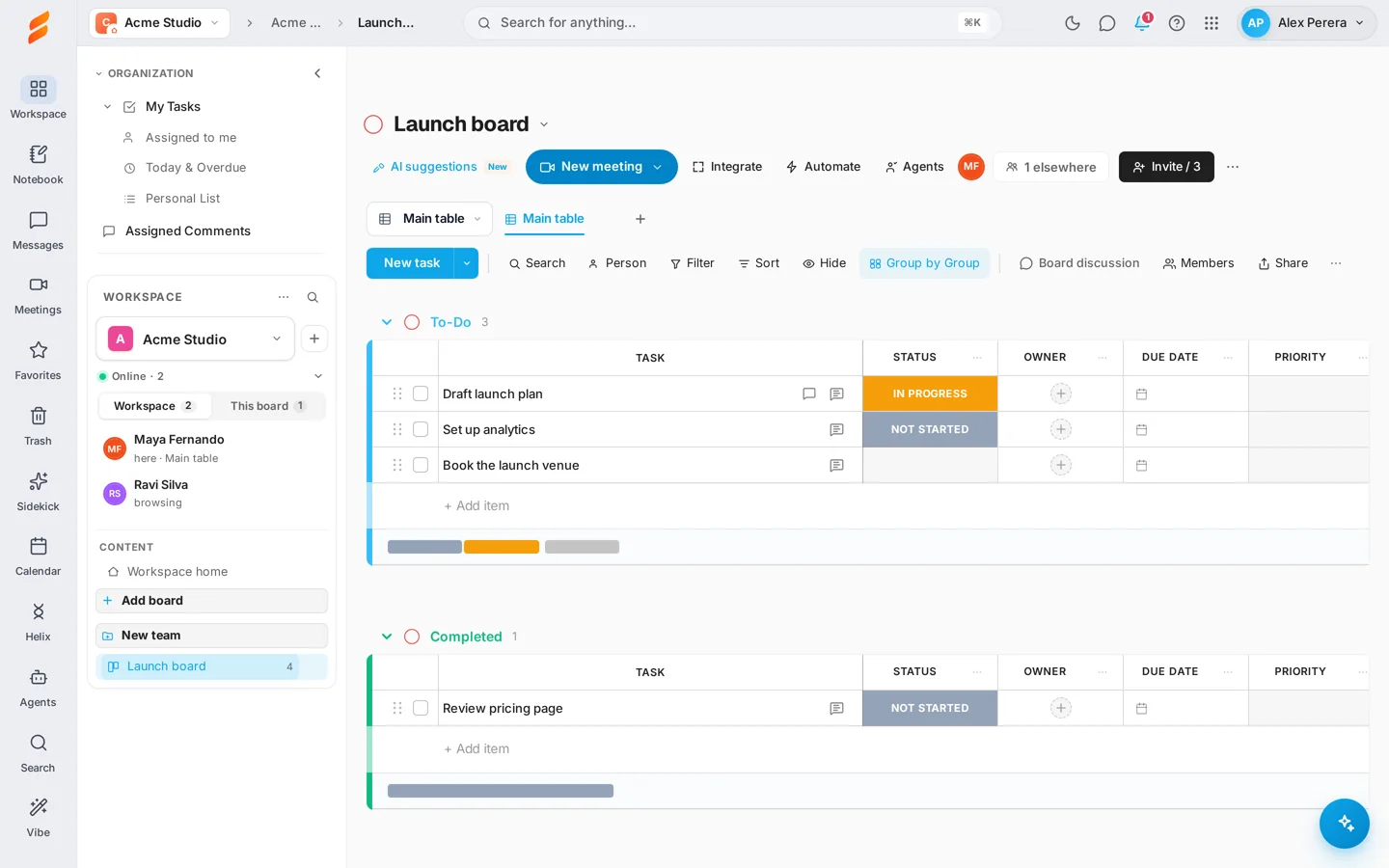
Select the panel’s header to collapse it to one row. A search box appears when the list is long.
Open a person’s menu
Select anyone who is online — in the Online panel, on a board’s avatars or on workspace home — to open their menu:
- Follow — ask to follow them.
- Message — open your conversation with them.
- Call — start a voice call.
- Video call — start a call with your camera on.
- Share my screen — offer to show them your screen.
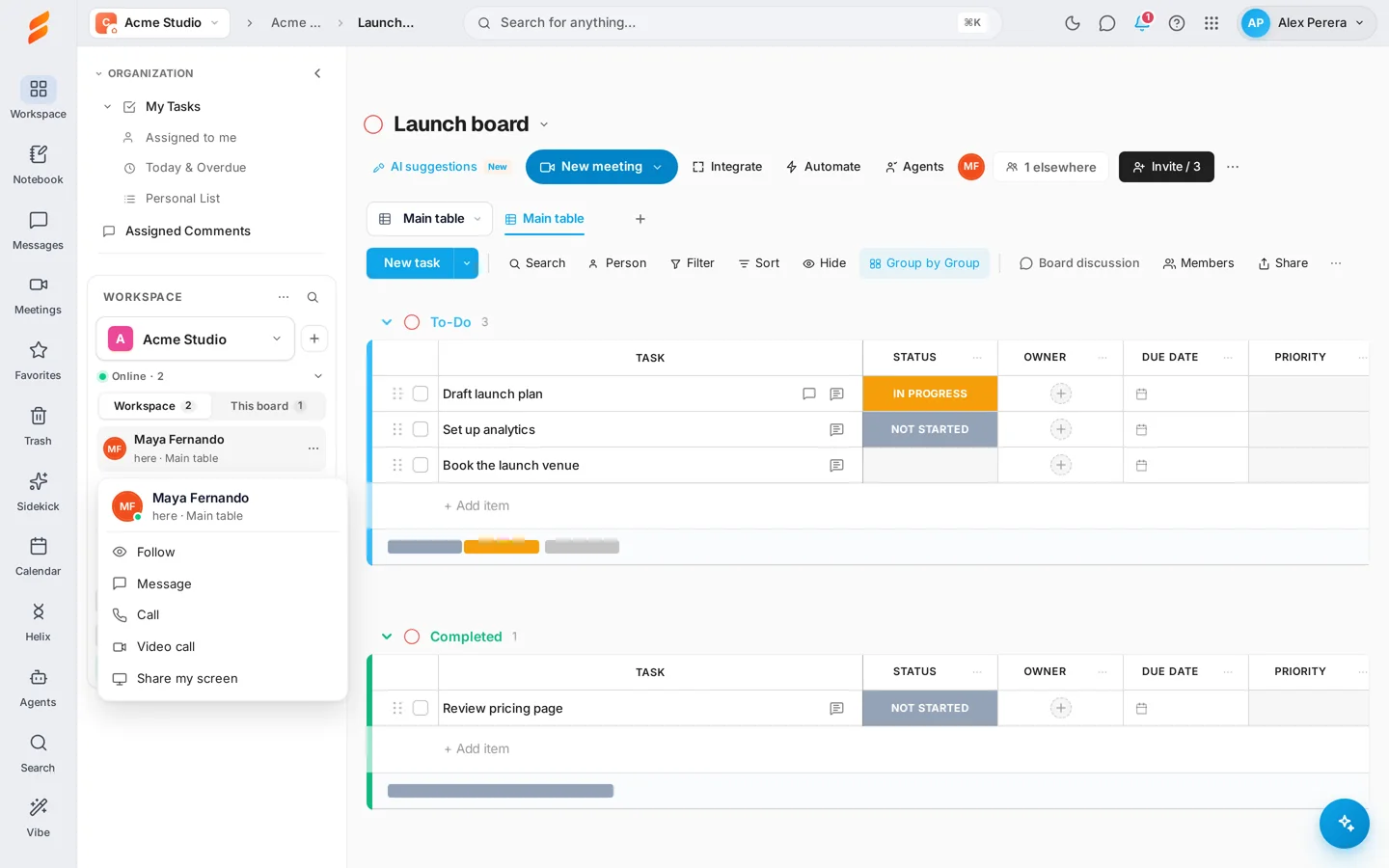
See Message and call a teammate for messages, calls and screen sharing.
Follow a teammate
- Select the person and choose Follow.
- They see a card with your name and choose Allow or Decline.
- When they allow it, a frame in their colour surrounds your board, a bar at the top says Following with their name, and their cursor appears with their name on it.
- If they open another board, Snappi takes you there.
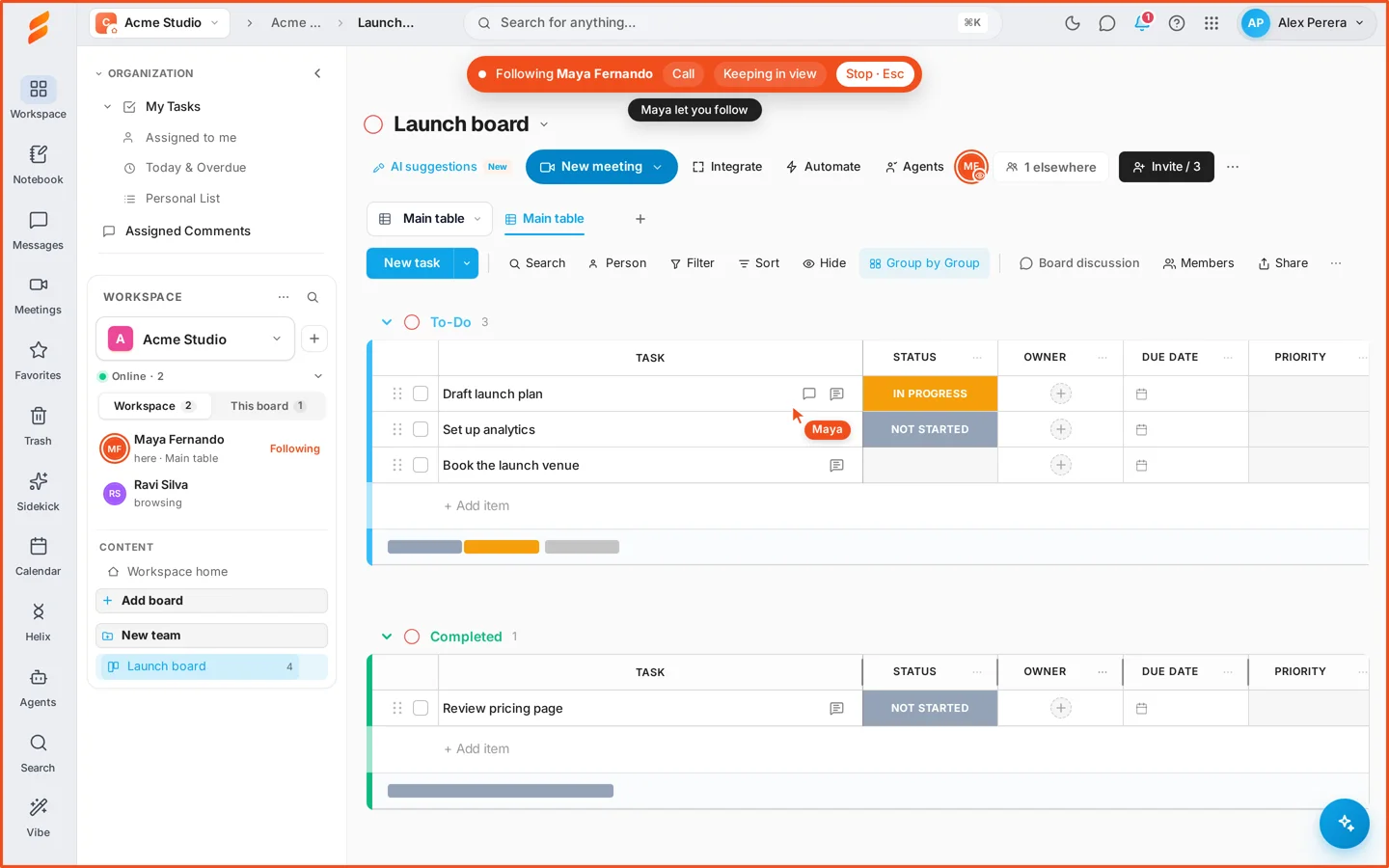
The bar at the top also has Call, to talk while you follow, and Keeping in view, which scrolls the board to keep their cursor on screen. Turn it off to look around yourself. If they are on a different view of the same board, the bar offers Go there.
When someone follows you
A card appears with the person’s name and what they will see. Choose Allow or Decline. Nothing is shared until you allow it.
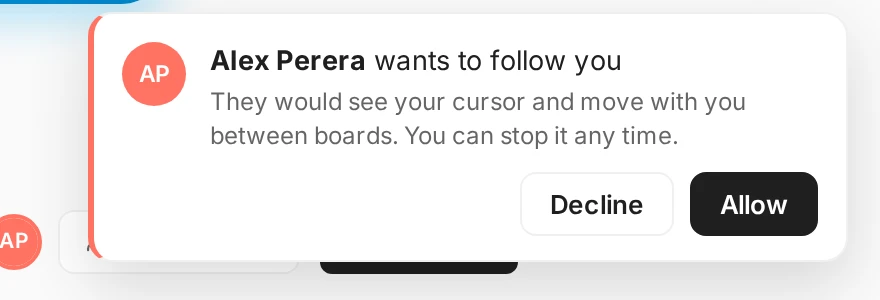
While someone follows you, a chip at the bottom right says who. Use Stop to end it, or Share screen to show them your whole screen instead of the board.

Stop following
Select Stop in the bar at the top, press Esc, or select the person’s avatar again. To follow them again later you ask again.
What other people can see
- Everyone in the workspace can see that you are online and which board you are on.
- If you are on a board someone has no access to, they see only a private board.
- Your cursor is shown only to a person you allowed to follow you.
- You follow one person at a time, so a busy workspace stays calm.
If something is not working
- Nobody is listed as online — nobody else has Snappi open in this workspace right now. Check that you are in the right workspace.
- I chose Follow and nothing happened — the other person has not answered yet, or they declined. You can ask again.
- I do not see their cursor — they may be on a different view. Use Go there in the bar at the top.
- Following stopped by itself — the other person selected Stop, closed Snappi, or opened a board you cannot open.
Keep exploring
See all Snappi guides