
AI note taker
Be in the meeting. Not in the minutes.
Record a meeting in Notebook and get the transcript, who said what, topic headings and a summary with decisions and action items. Works for English, Sinhala and Tamil. From Starter.

A CLOSER LOOK
Make space for
your next step.
Record a meeting in Notebook and get the transcript, who said what, topic headings and a summary with decisions and action items. Works for English, Sinhala and Tamil. From Starter.
It writes while you talk.
Open a note, choose the language and select Record meeting. Each line is written into the note with its time as people speak, for meetings up to eight hours. You can keep typing in the same note.
Read the guide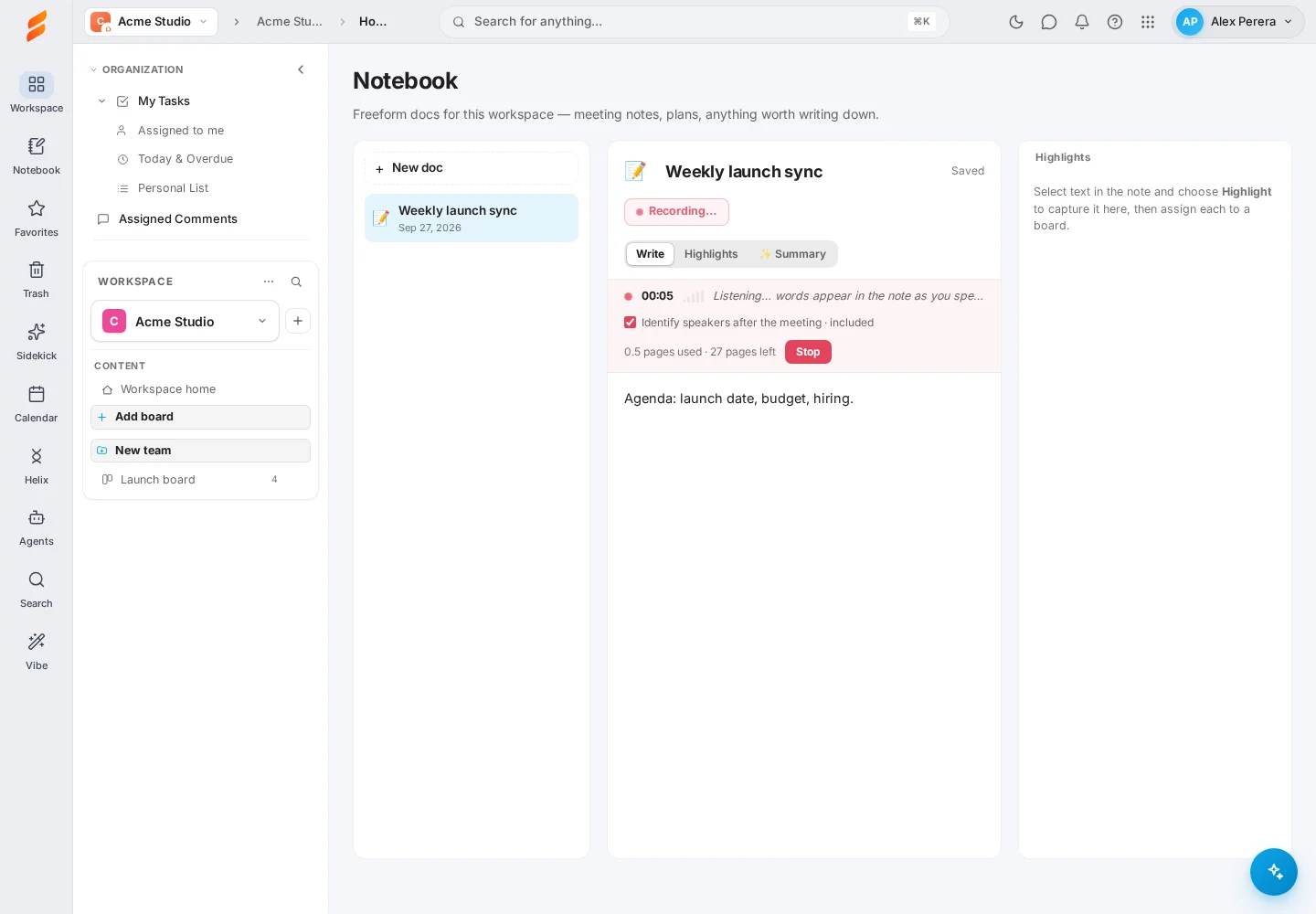
Speakers, topics and a summary.
When you stop, Snappi adds who said each line, splits the note into topics and writes a summary: an overview, the discussion step by step, decisions, action items and open questions.
Read the guide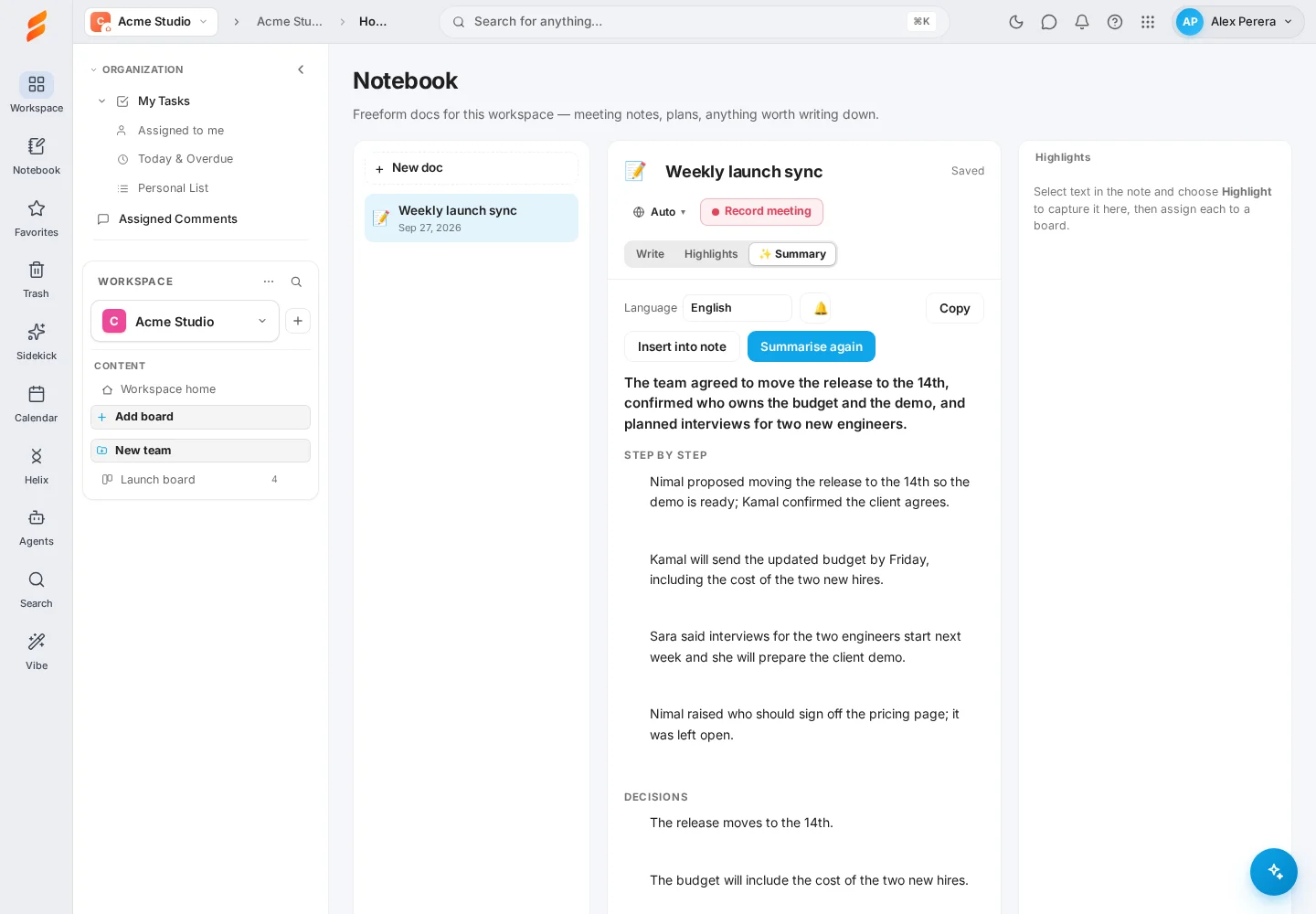
From what was said to who does it.
Hover a summary point and assign it to a board and group, so an action item becomes a task with its context. In a Snappi video meeting the same note taker joins as a participant and saves its notes to Notebook when the meeting ends.
Read the guide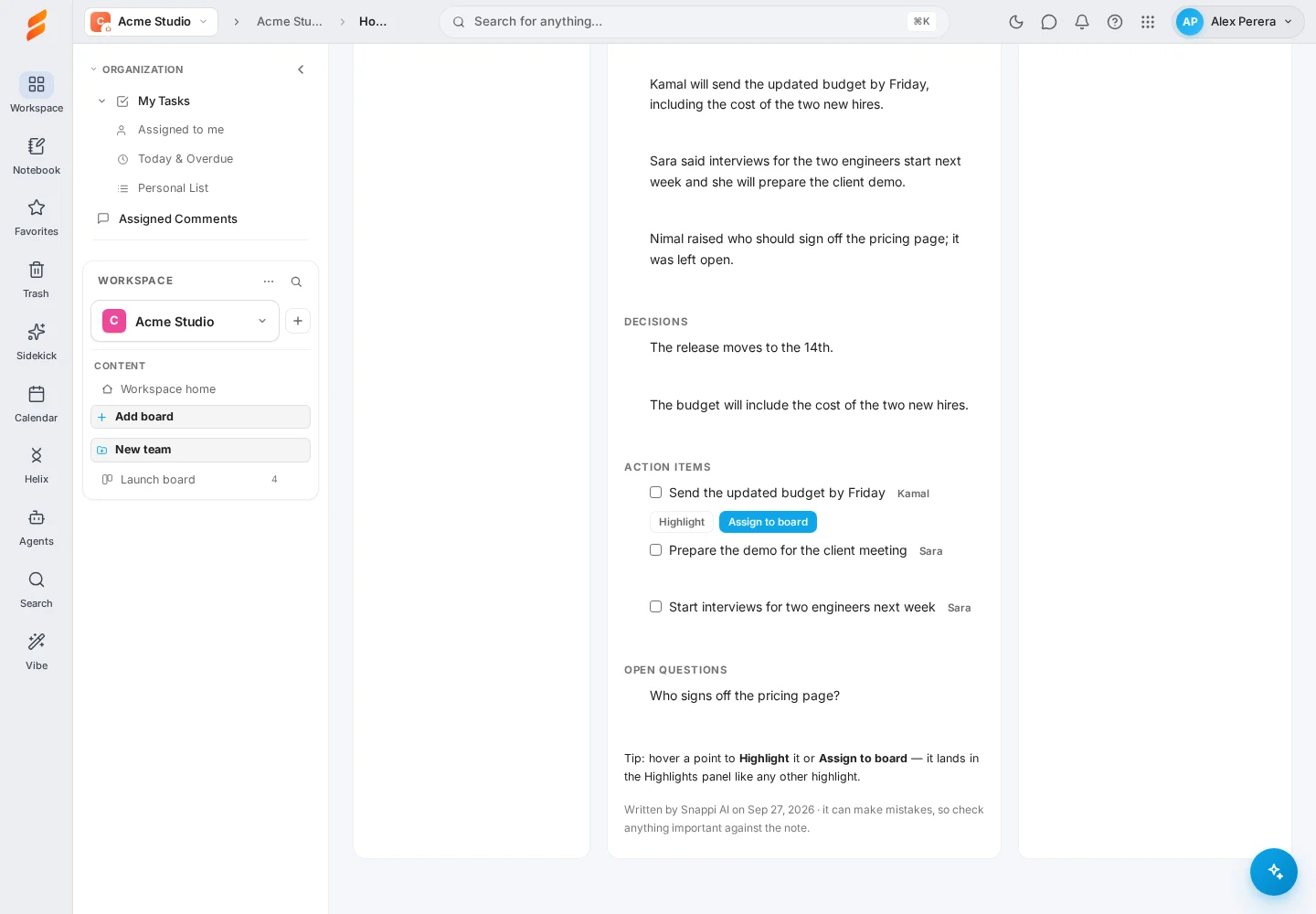
GOOD QUESTIONS
A little clarity.
A confident start.
Which languages does it understand?
English, Sinhala and Tamil, including meetings that mix English with Sinhala or Tamil. The summary is written in English by default and can be changed.
What does it cost?
Voice notes and summaries are recharge and use: paid from notes pages, which you can recharge by card from $6 (about $110 per 1M characters) on any package, or from the workspace’s AI credits (Starter and above include them every month). Free has no AI credits included, so it prepays. If a recording or summary fails, what it used is given back.
Does it record without people knowing?
In Notebook it listens through your own microphone when you press Record meeting. In a Snappi video meeting everyone sees a banner as soon as AI notes are turned on, and the note taker appears in the meeting.
What if I delete a note by mistake?
Deleted notes go to Trash and can be restored for 30 days, with their recordings and highlights.