
Sprints01 / 06
Big ambitions. Clear next steps.
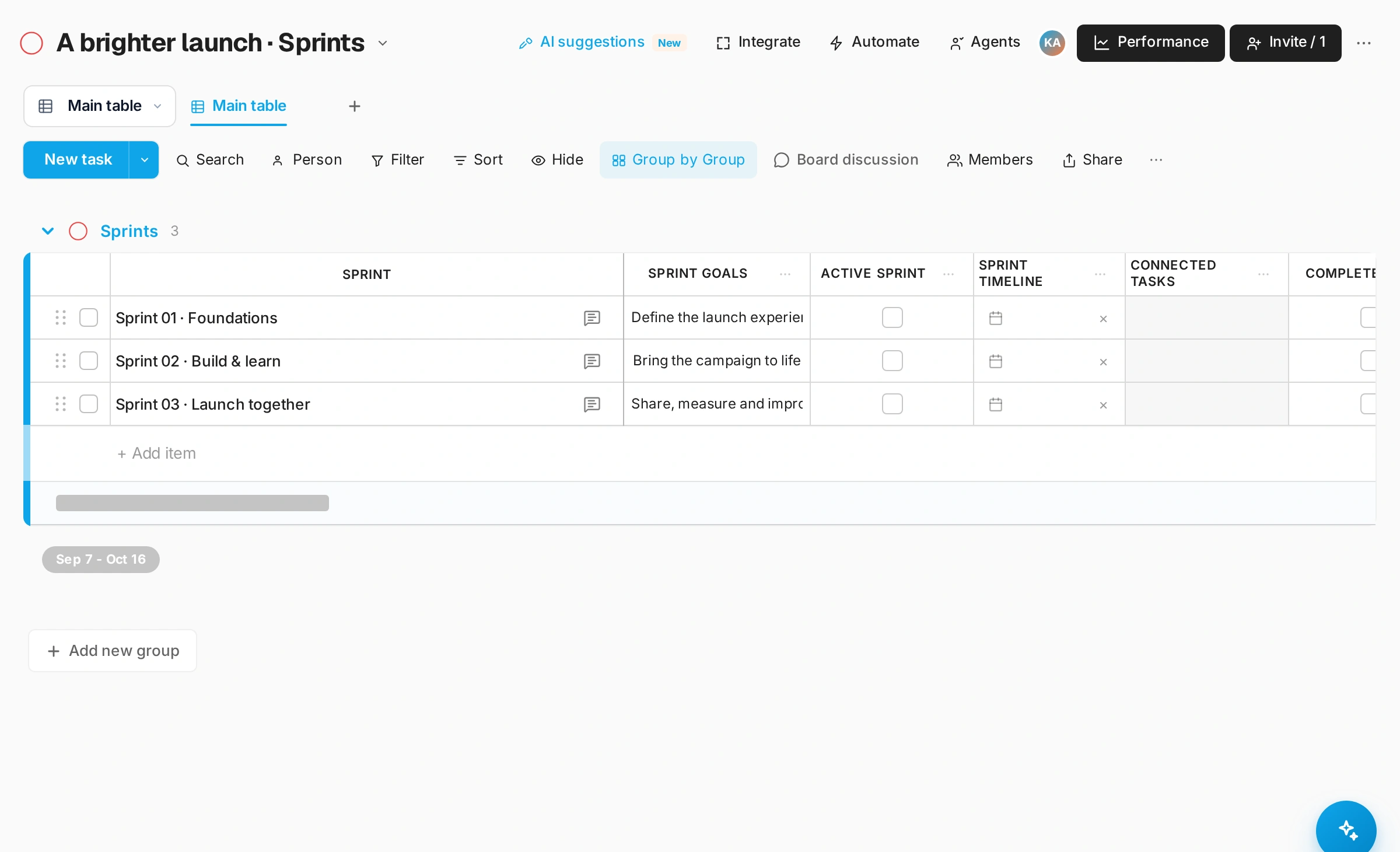
Give every sprint a goal. Bring the plan, the timeline and your team’s next chapter together.
Explore Sprintssnappi / SprintsLive product
SNAPPI · WORK, CONNECTED
Your people. Your projects.
One shared workspace.
No credit card to create your account.

EVERYTHING IN PERSPECTIVE
Different minds. Shared plans. Real progress.Bring the moving pieces together.
YOUR WORK. EVERY ANGLE.
One workspace. More ways forward.
Plan a sprint. Follow the flow. See your progress.
Find the perspective that works for your team.
Give every sprint a goal. Bring the plan, the timeline and your team’s next chapter together.
Explore SprintsFollow each task from its first step to done. Make priorities and progress easy to see.
Explore Kanban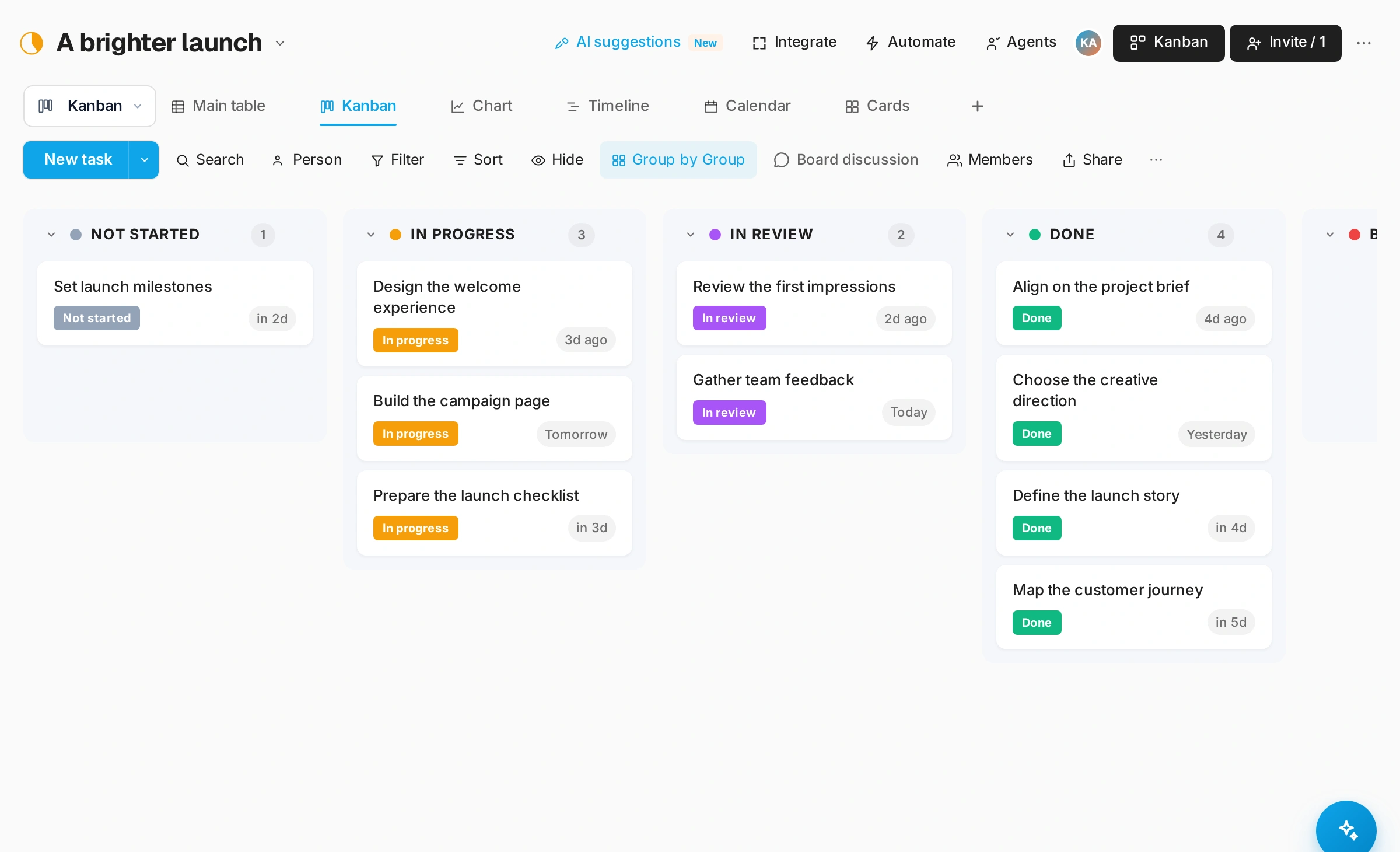
See what’s finished, what’s moving and what needs attention in one shared overview.
Explore Chart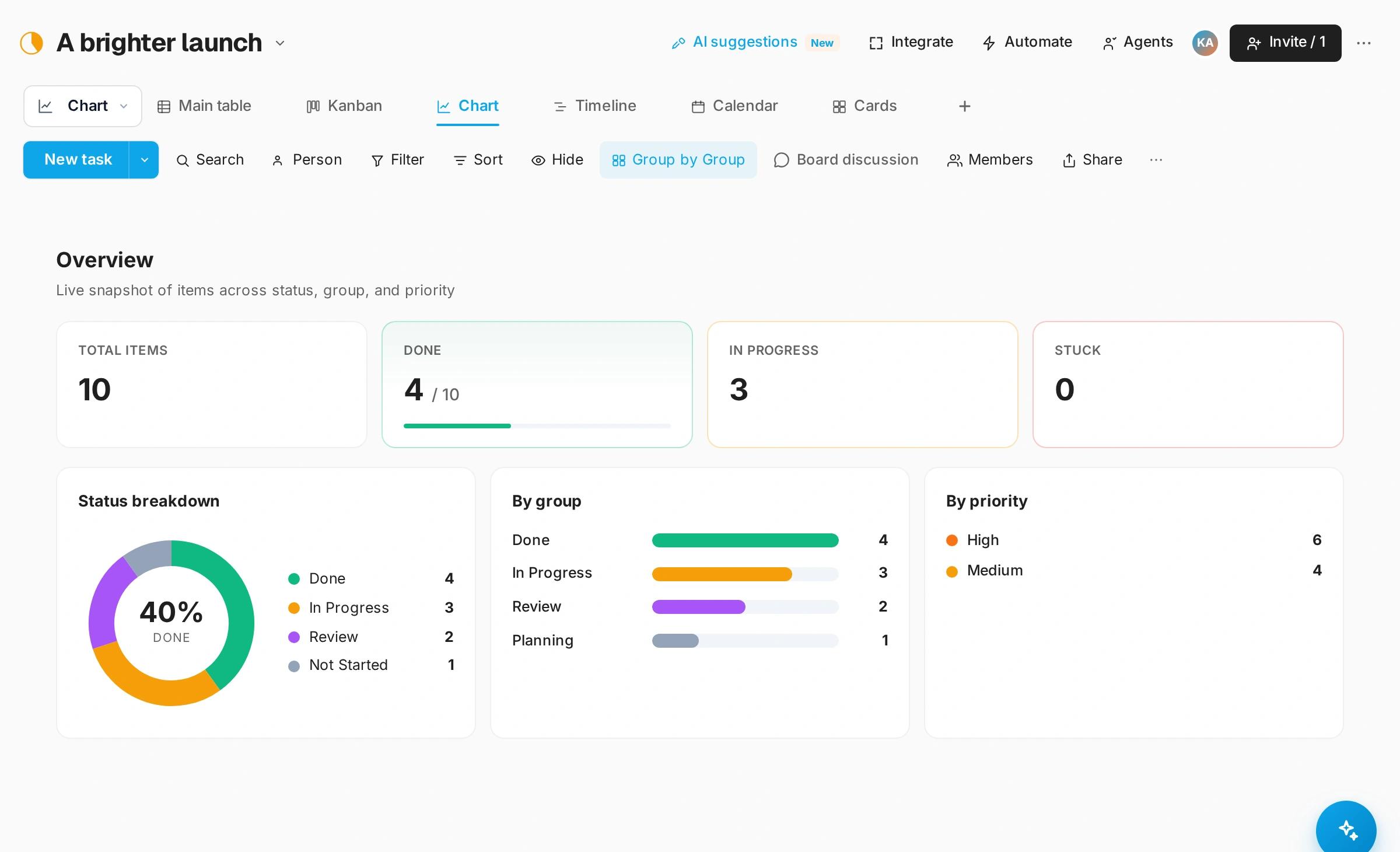
Put your plans on a timeline. See the work ahead and how each part fits into the bigger picture.
Explore Timeline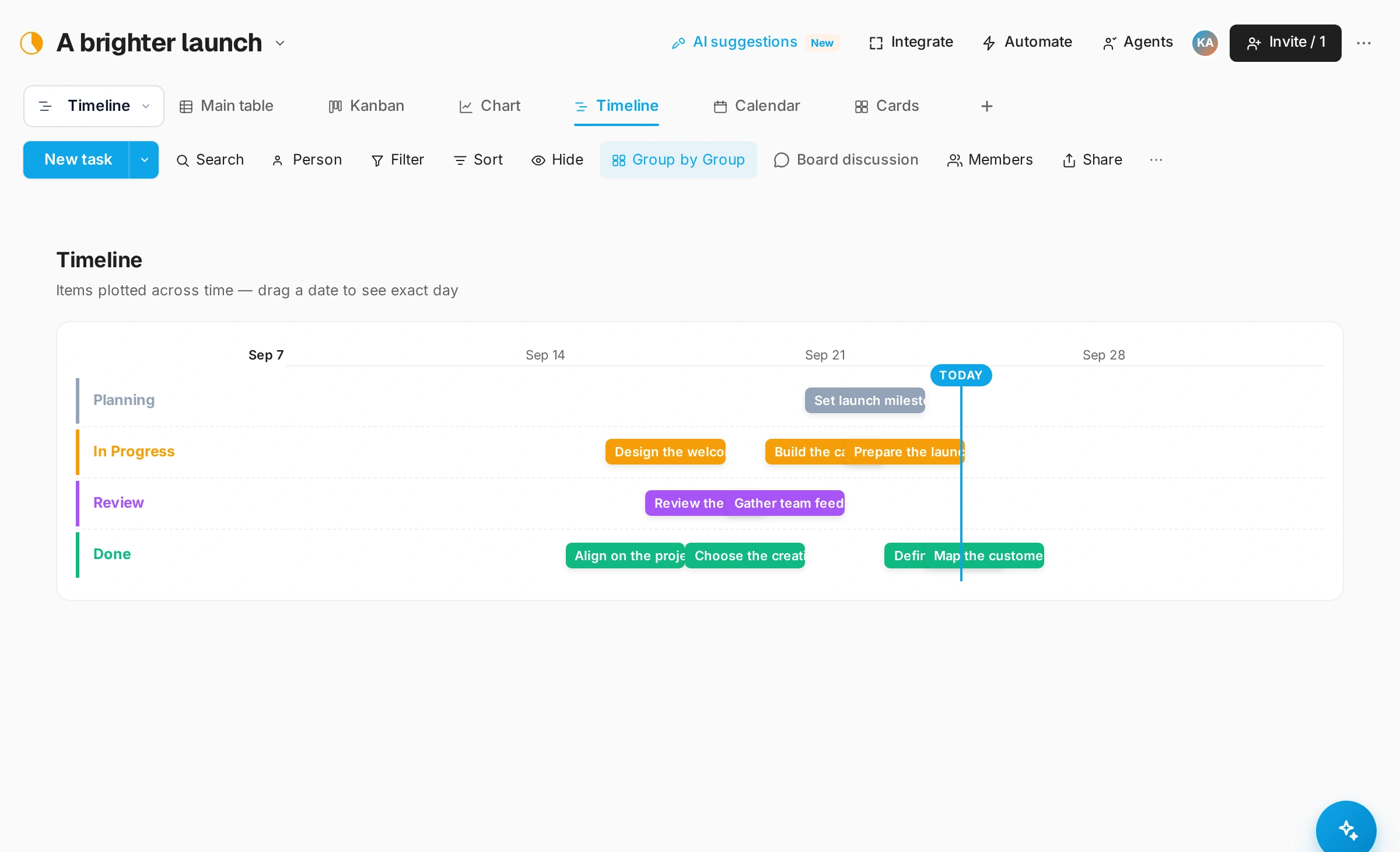
Bring deadlines into focus. See what’s coming up and give your team a shared view of the week.
Explore Calendar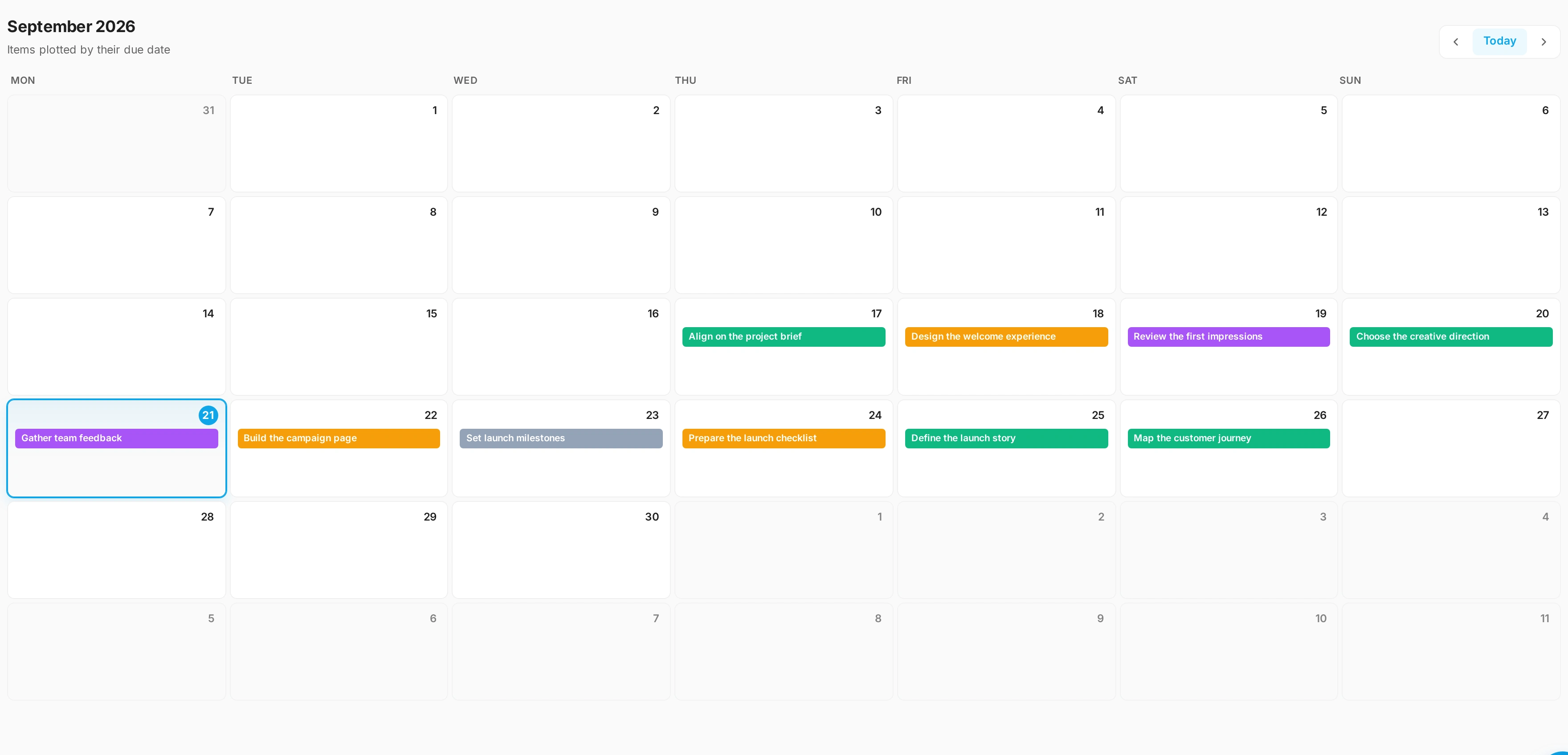
Give each task its own space. Keep priorities, dates and next steps together at a glance.
Explore Cards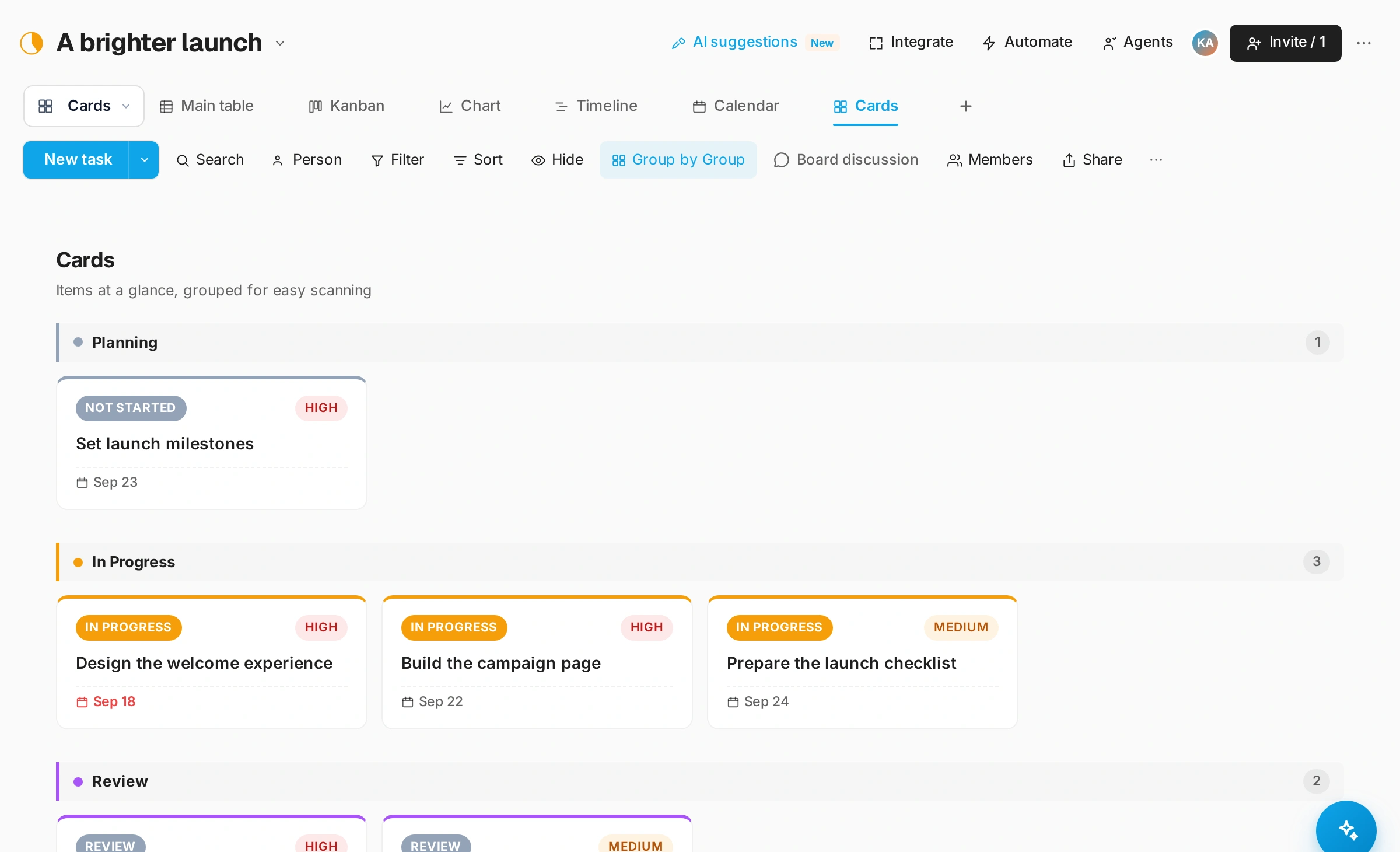
A LITTLE HELP. A BIG START.
Describe what you’re working on. Vibe turns your idea into a board with groups, columns and starter tasks.
Meet your AI workspaceAI features use workspace credits, from Starter.

Get AI assistance in your workspace.
Connect compatible external assistants through MCP.
Give connections read or write permissions.
MEET HELIX
For teams building with AI, Helix connects the idea, the evidence and the release. Ten stages. A clearer path from discovery to learning.
Explore the delivery loop IDEA → EVIDENCE → RELEASE → LEARNING
DIFFERENT TEAMS. SHARED MOMENTUM.
Connect the roadmap to the work that makes it real. Plan sprints, track bugs and keep the next release moving.
Find your starting point
ONE PROJECT. EVERY PERSPECTIVE.
From the first plan to the bigger picture.
Your work stays connected as your perspective changes.


01MAKE THE PLAN
Bring tasks, owners and statuses into one shared table. Keep the plan clear, and the details close.
Organize your first board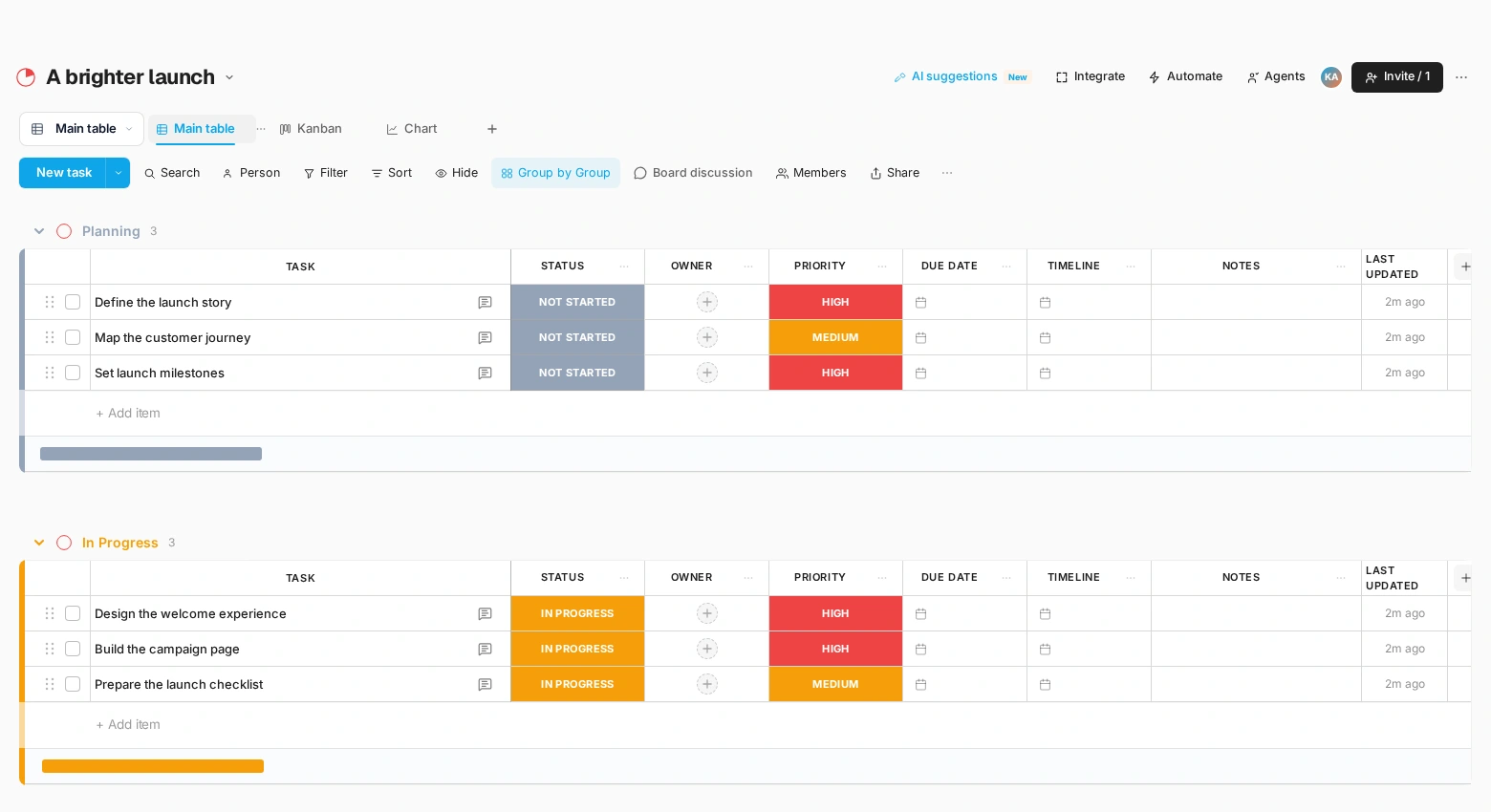
02FIND YOUR FLOW
See the same project in Kanban. Follow what is ready, what is moving and what needs your team’s attention.
Explore your board views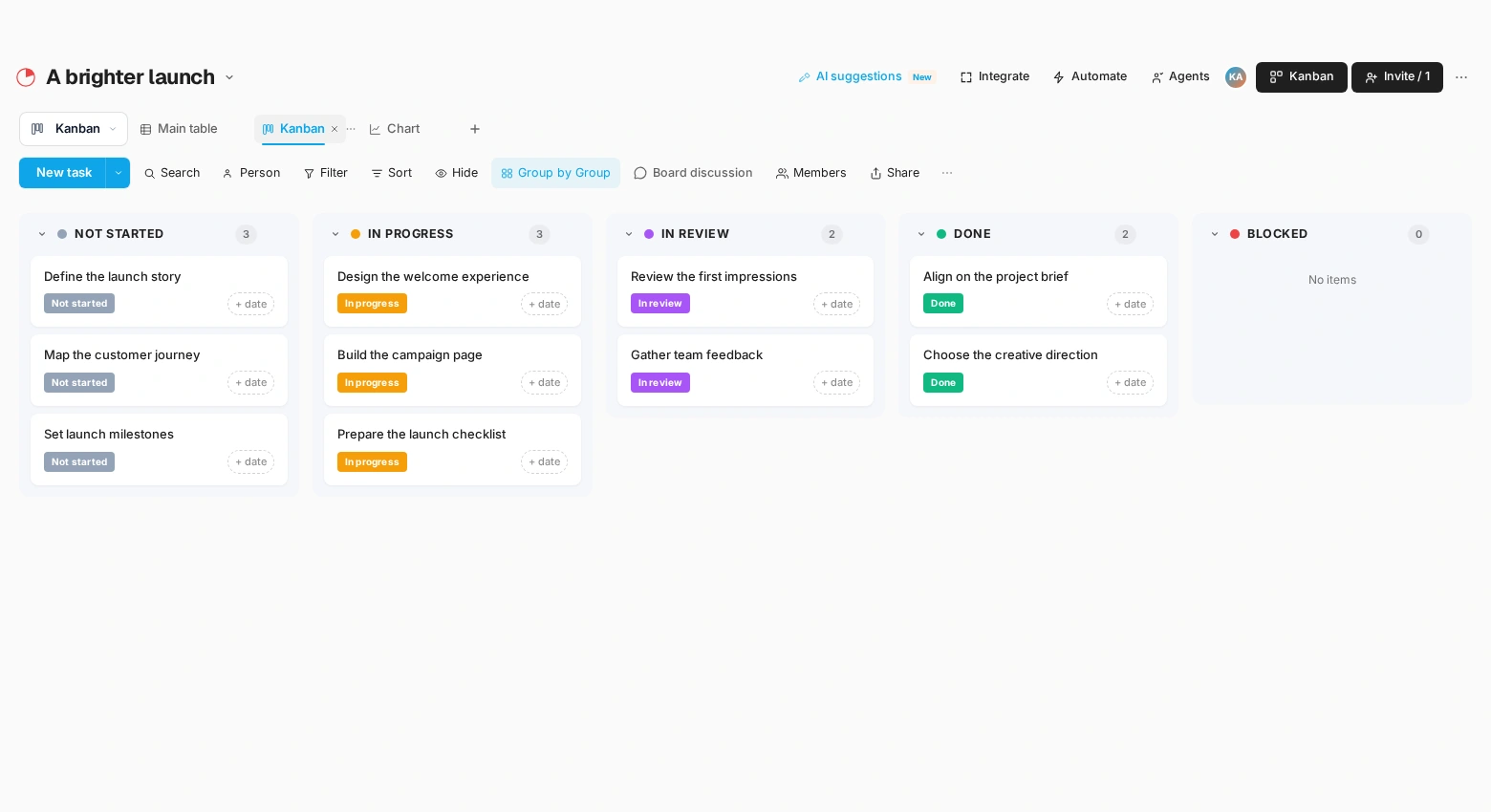
03SEE THE PROGRESS
Switch to Chart for a view of the project’s status, groups and priorities. Turn the shared picture into a clearer conversation.
Take the product tour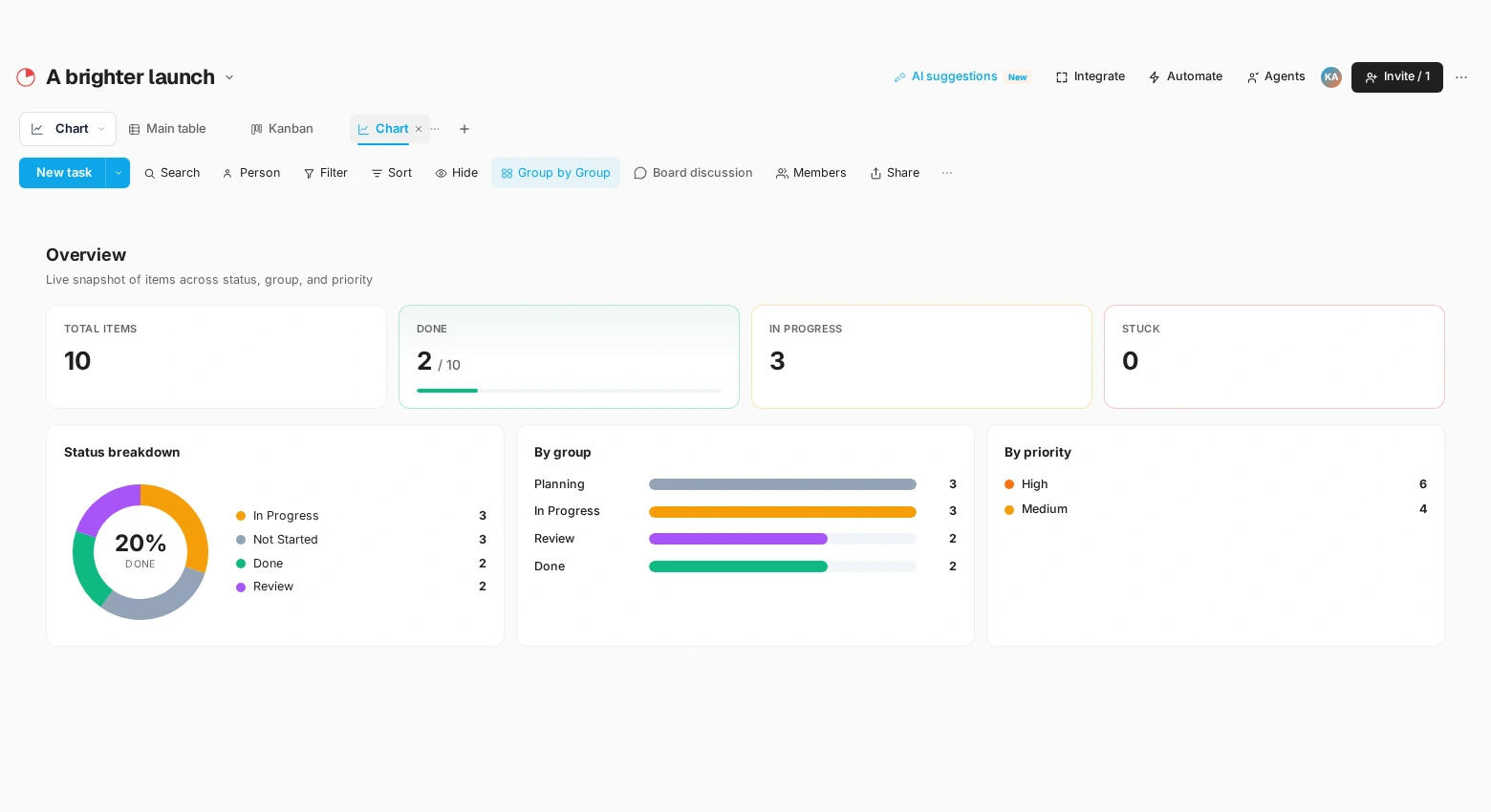
KEEP GOOD IDEAS MOVING
Highlight a note and turn it into a task on the board where it belongs.
From notes to tasks ↗02 / SEEBring board counts, statuses and owners into a shared dashboard.
Explore dashboards ↗03 / MOVECollect requests with forms and move items with status-based rules.
Put work in motion ↗TALK IT THROUGH. KEEP IT MOVING.
Meet on video, message a teammate or follow along on a board. What you decide stays with the tasks it belongs to.
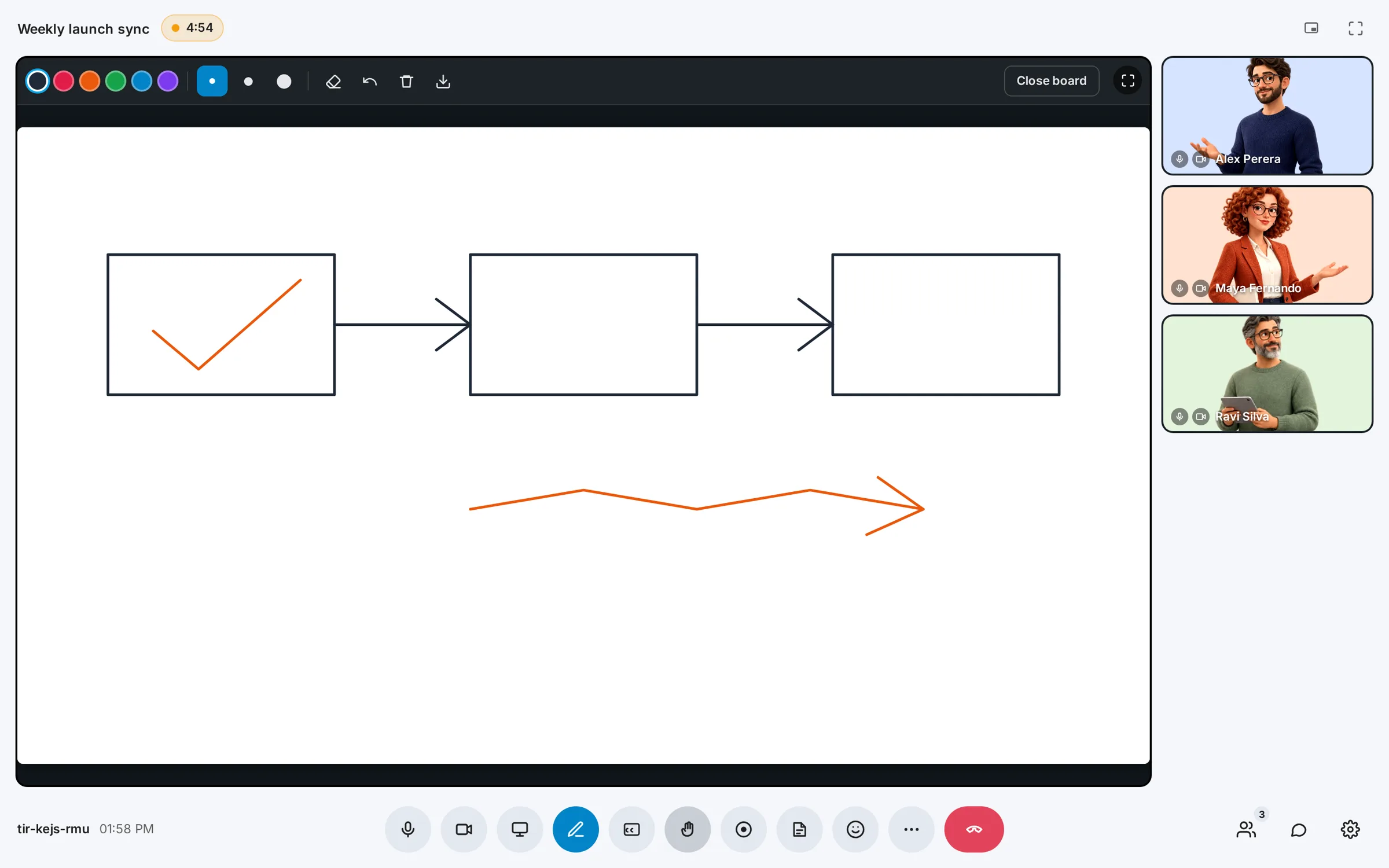
Video meetings with screen sharing, a shared whiteboard, breakout rooms and recording. Guests join without an account.
Video meetings ↗02 / CAPTUREThe AI note taker writes the transcript, who said what and a summary with action items you can assign to a board.
AI note taker ↗03 / TALKMessage a teammate, send files, then switch to a voice or video call and share your screen.
Messages & calls ↗04 / FOLLOWSee who is online and where. Ask to follow a teammate and watch their cursor once they allow it.
Live presence ↗EVERY PERSONALITY. SHARED POSSIBILITY.
Bring your way of thinking.
Find a shared way forward.
Big ideas.
Clear plans.
 Make it happen.
A place for
every idea.
And everyone.
Think together.Small steps.
Real progress.
Better, connected.
 Keep it moving.
 Ask a better question.
 Share your perspective.
DIFFERENT STRENGTHS. ONE SHARED WORKSPACE.
Your team brings different skills, ideas and perspectives. Give them a shared place to turn those differences into progress.

Bring people, tasks and plans into shared boards. Make responsibilities clear and see how each part contributes.
Bring your team together
Keep conversations close to the work. Share updates, add context and help the next person take the next step.
Get startedMAKE ROOM FOR WHAT’S NEXT
Give the moving pieces a shared home.
Keep the next step in sight.

YOUR NEXT POSSIBILITY
Boards, AI, meetings, messages, notes and the connections between them.
02 / YOUR TEAMExplore the way product, marketing, sales and operations work together.
03 / A HEAD STARTGive your next project a useful structure, then make it yours.
04 / A LITTLE GUIDANCETake a product tour, follow the setup guide or search Snappi Help.
Snappi is work and project management software for teams. It brings tasks, boards, notes, video meetings, messages, calendars and dashboards into a shared workspace, with AI-assisted board creation, an AI note taker and a ten-stage Helix workflow for product delivery.
Projects, sprint work, content calendars, leads, hiring pipelines and everyday tasks. Start from a template or create a board with your own groups, columns and workflow.
Table, Kanban, Timeline, Calendar, Gantt, Chart, Cards, Files and Form. Saved views let you return to the way you like to see your work.
Vibe helps turn a description into a board with groups, columns and starter items. Sidekick offers AI assistance, and MCP connects compatible external assistants with permissions you choose. AI availability depends on your workspace’s configuration and credits. AI starts on the Starter package; Free does not include it.
Yes. Start a video meeting and share its link; guests can join without an account. Meetings include screen sharing, a shared whiteboard, breakout rooms, live captions and recording. Teammates can also message each other directly, and make one-to-one voice or video calls. Meetings and calls start on the Starter package; direct messages are on every plan.
Yes. Record a meeting in Notebook, or turn on AI notes in a Snappi video meeting, and you get a transcript with speaker names and a summary with decisions and action items. It works for English, Sinhala and Tamil and uses notes pages or workspace AI credits, from the Starter package.
Snappi supports Google Calendar, Outlook Calendar and Zoho Calendar connections. Connect your account from the integrations settings to bring calendar work together.
Create an account, set up a workspace, then choose a board template. Our product tour and help center walk you through the next steps.
YOUR NEXT CHAPTER
A fresh workspace. A clearer way forward.
Get started