
A prompt. A starting point.
Describe a project to Vibe to generate a board. Ask Sidekick for help with your workspace, with AI usage managed through credits.
THE SNAPPI PRODUCT TOUR
Explore a demonstration project from the first plan to the bigger picture. Your people, your progress, your next step—connected.


01 / MAKE THE PLAN
Give the work a name. Add tasks, owners, dates and statuses. Keep the details in a shared table your whole team can follow.
Explore boards and views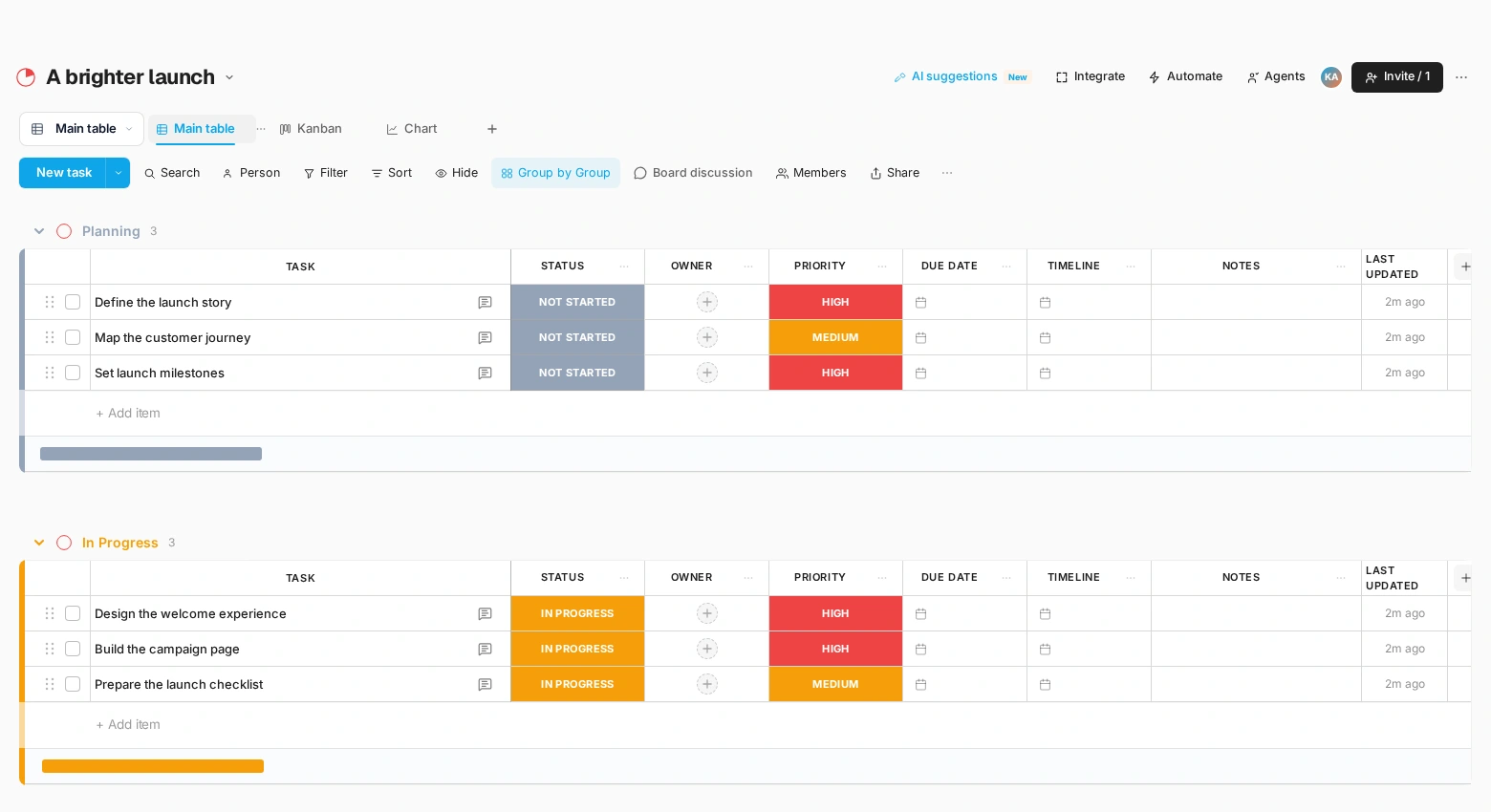
02 / FIND YOUR FLOW
Switch to Kanban to see work by status. Spot what is ready, what is moving and what needs attention without rebuilding your project.
Find your perspective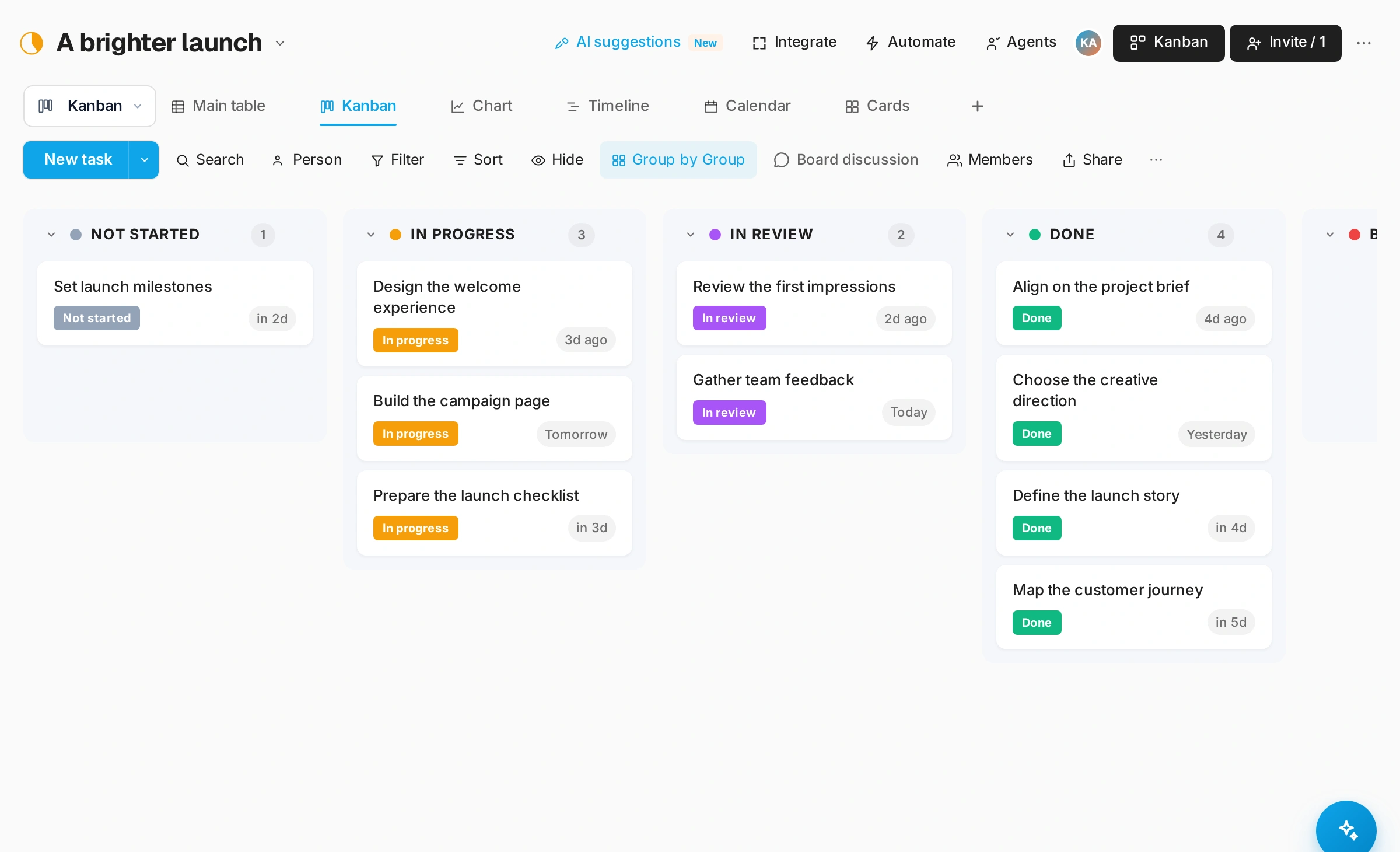
03 / SEE THE PROGRESS
Look at the same project through Chart view. Review statuses, groups and priorities, then use the shared picture to guide your next conversation.
Understand your progress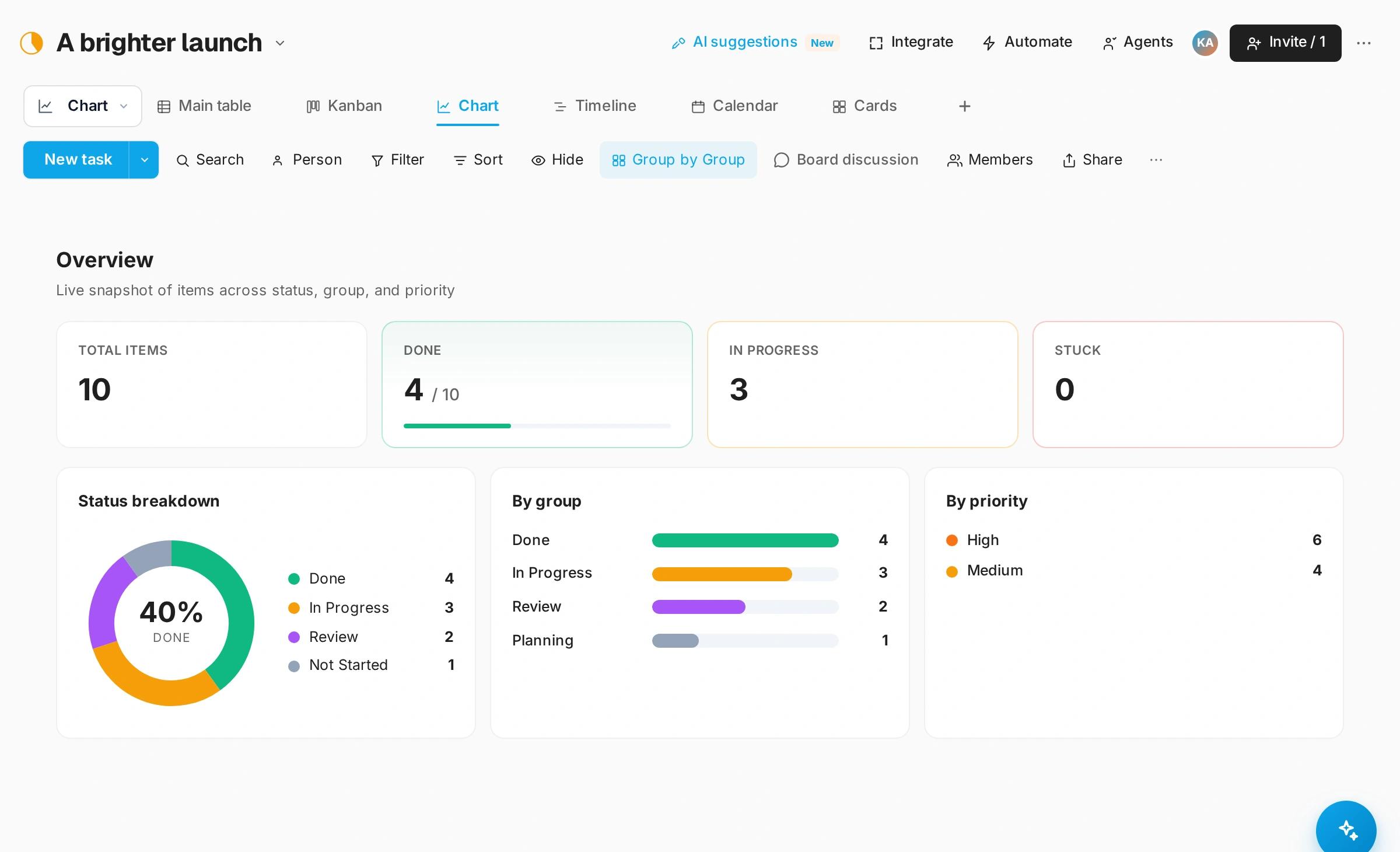
04 / TALK IT THROUGH
Start a video meeting and share one link. Sketch on a shared whiteboard, record the session and let the AI note taker write the summary. Message or call a teammate when a quick word is enough.
Explore video meetings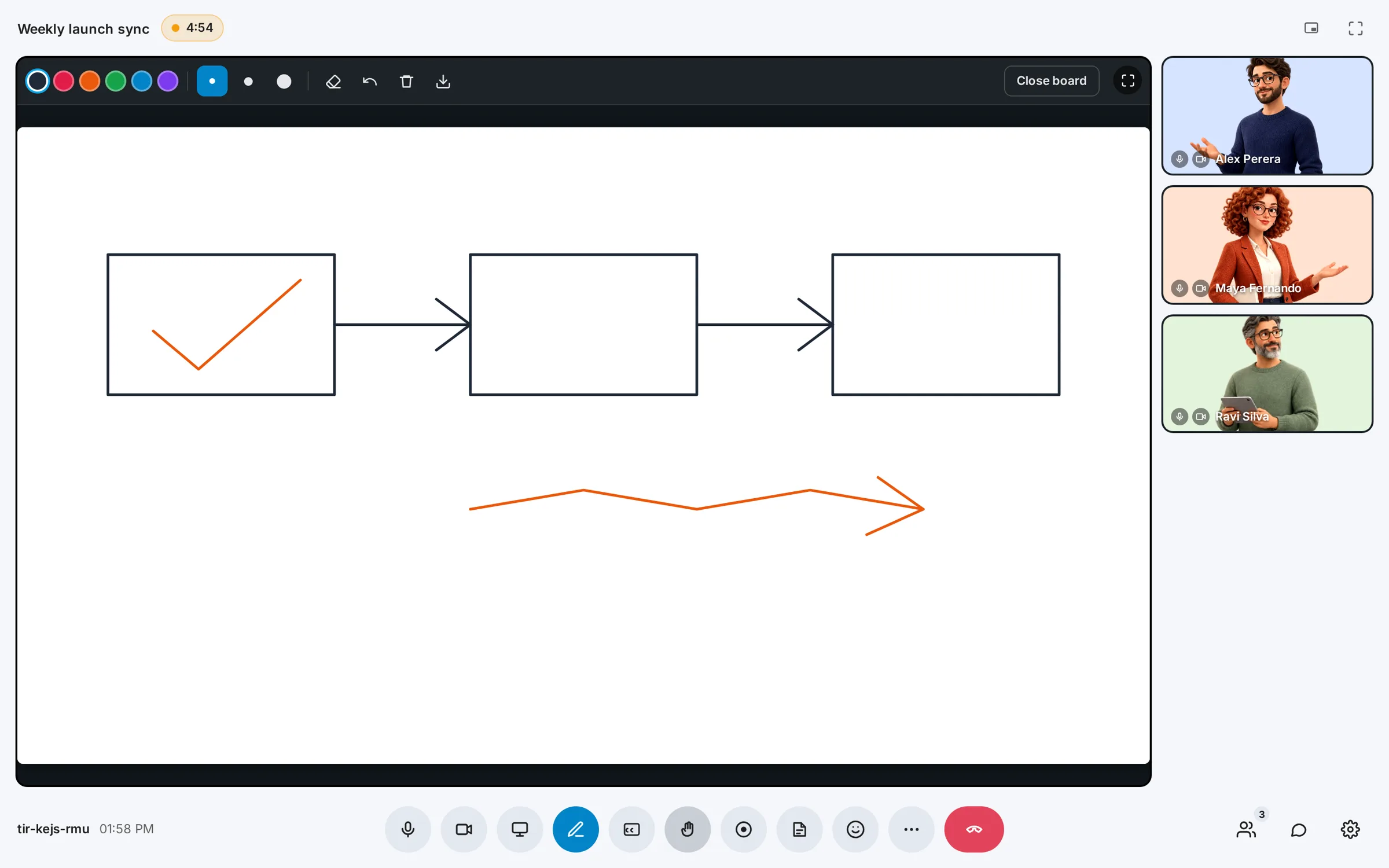
MORE ROOM TO DO YOUR THING
Describe a project to Vibe to generate a board. Ask Sidekick for help with your workspace, with AI usage managed through credits.
Create status-based automations to move items between groups or update their status. Publish forms that turn incoming requests into board items.
Bring work into dashboards, plan dates with calendars, and keep sprint progress in view. Move between the detail and the bigger picture.
Connect supported calendars and use API tokens or the MCP connection to work with your boards from compatible AI tools.
YOUR FIRST FEW MINUTES
Create an account, verify your email and set up your workspace. Our illustrated guide follows the real signup process, step by step.
Follow the getting-started guide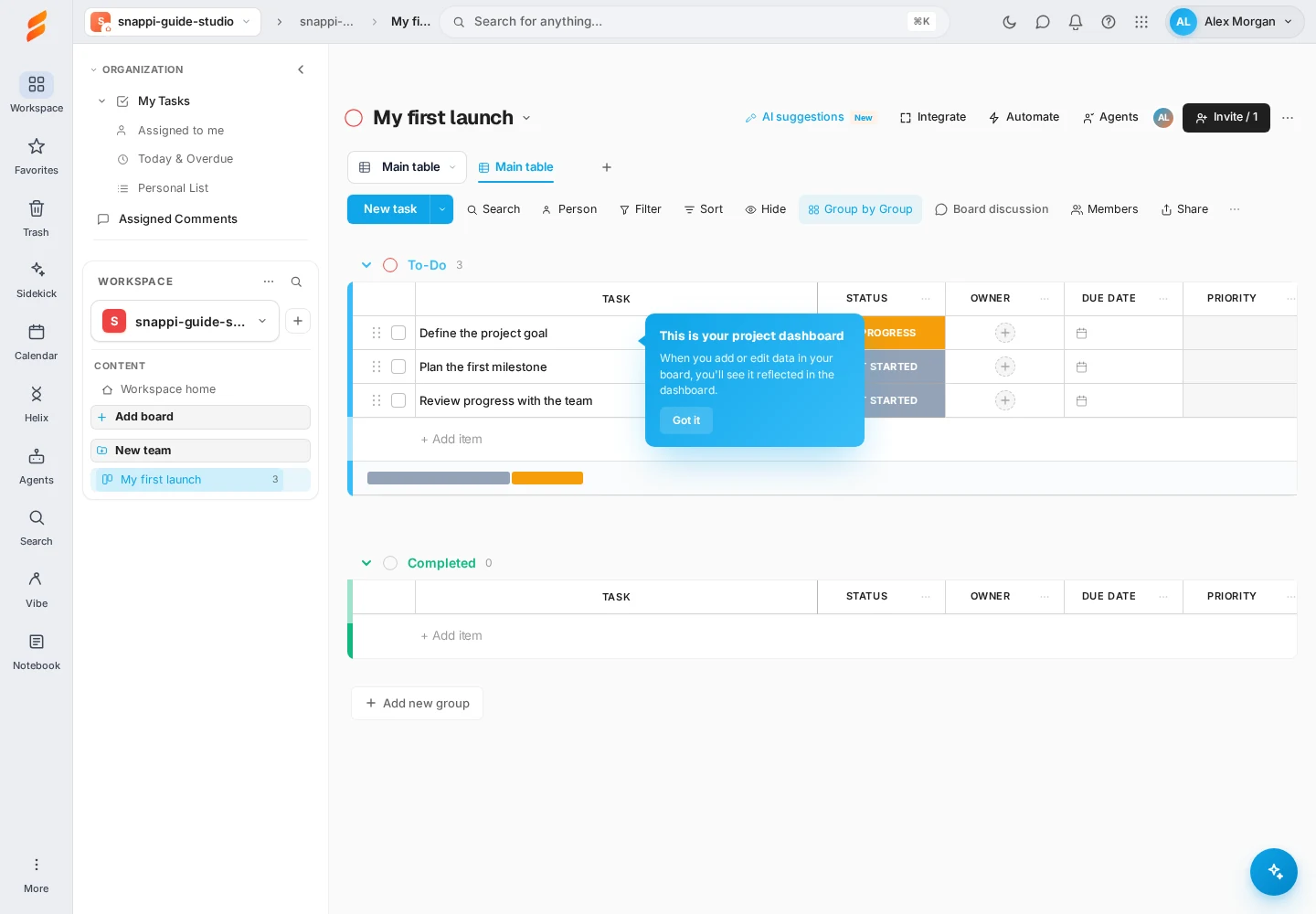
SMALL STEPS. A GREAT START.
Create a board. Add a task. Mark it done.
Build confidence one step at a time with our illustrated getting-started guide.

MEET HELIX
For teams building with AI, ten connected stages bring the idea, the evidence and the next release into a learning loop.
Define the opportunity.
Gather evidence.
Shape the solution.
Make it real.
Check the behavior.
Measure the quality.
Review the risks.
Prepare to ship.
Watch the outcomes.
Feed the next idea.