
Calendar & scheduling
Make time. Keep perspective.
See dated board work in Calendar view, connect Google, Outlook or Zoho Calendar, and schedule meetings with guests from your Snappi workspace.

A CLOSER LOOK
Make space for
your next step.
See dated board work in Calendar view, connect Google, Outlook or Zoho Calendar, and schedule meetings with guests from your Snappi workspace.
Put the plan on a calendar.
Use Calendar view to see board items with dates. Keep scheduled work connected to its owners, status and conversation.
Read the guide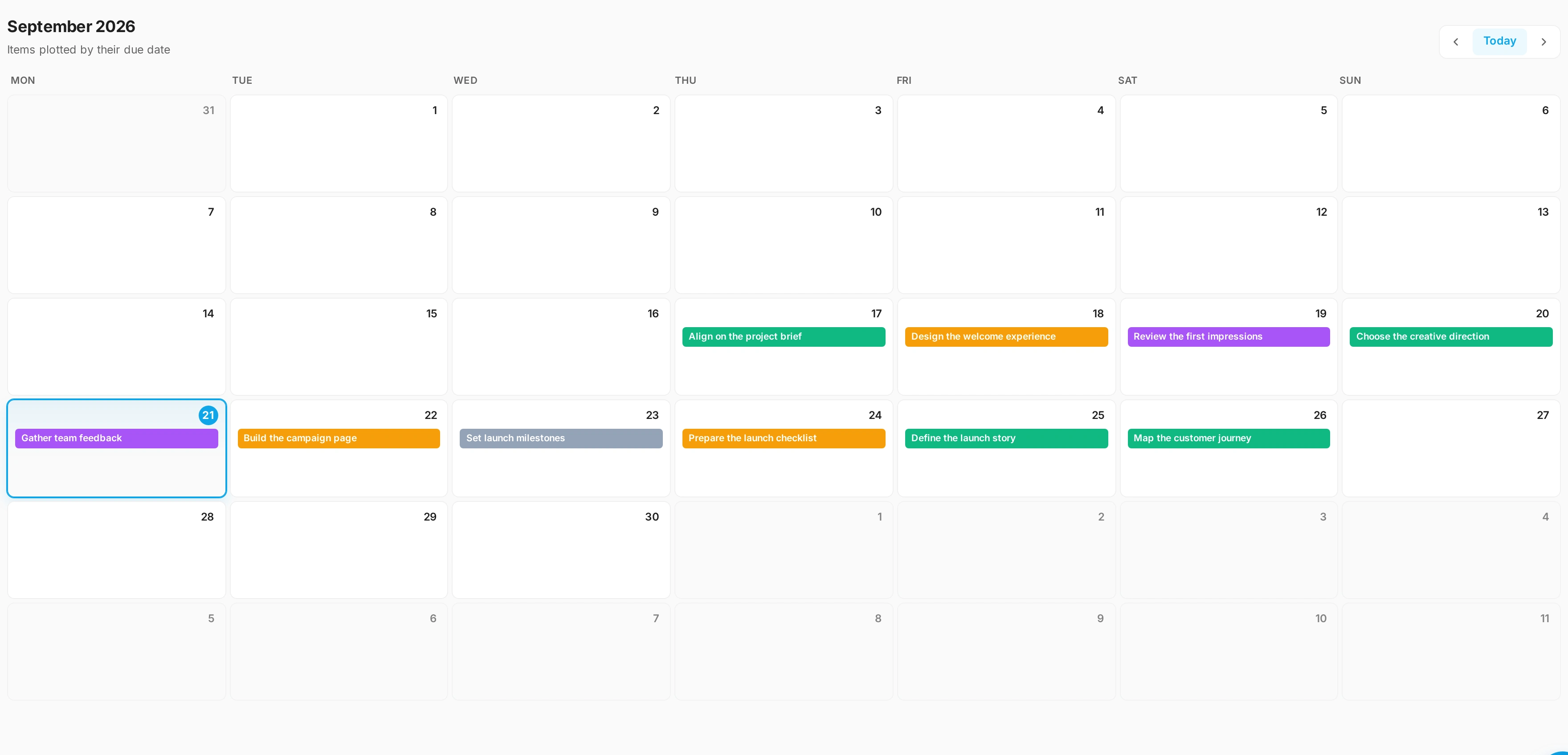
Connect the schedule you use.
Explore Google, Microsoft and Zoho Calendar connections in your workspace settings. Provider availability depends on configuration and the permissions you authorize.
Read the guideSchedule it with the people who matter.
Create an event with a title, time, guests and a description, link it to a task and choose how people will meet. For a face-to-face conversation inside Snappi, start a video meeting and share its link.
Read the guideGOOD QUESTIONS
A little clarity.
A confident start.
Does connecting a calendar put every board task in it?
No. A board Calendar view shows that board’s dated items. The workspace Calendar shows events from the calendars you connect. They answer different questions.
Can I arrange meetings?
Yes. Schedule an event with guests from Calendar or the Meetings page, or start a Snappi video meeting straight away and share the link.