
Lead management
Your next lead. A clearer follow-up.
Keep lead details, pipeline stages and follow-up work in one board.

A CLOSER LOOK
Make space for
your next step.
Keep lead details, pipeline stages and follow-up work in one board.
Start with lead management.
Keep lead details, pipeline stages and follow-up work in one board. Create your account and workspace, then open Templates and select Lead management.
Read the guideShape it around your team.
Replace sample information with your leads. Choose an owner and stage for each opportunity. Record the next follow-up and review the pipeline.
Read the guideChoose your perspective.
The image below is an actual Snappi demonstration project showing a relevant view. It is a view example, not a preview of the exact template contents.
Read the guide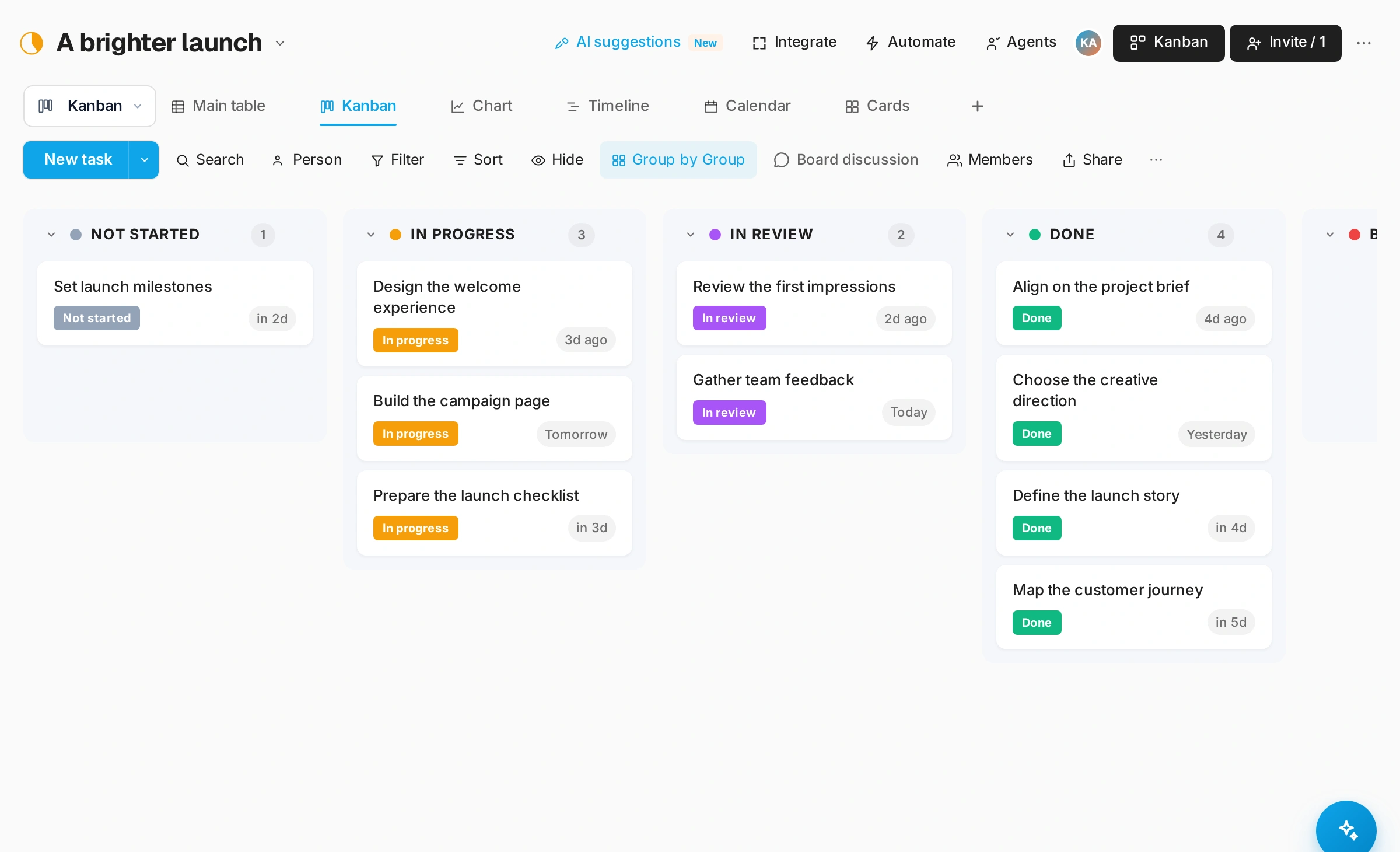
GOOD QUESTIONS
A little clarity.
A confident start.
Does Get started install this template automatically?
No. Get started creates your account. Once your workspace is ready, open Templates and select Lead management.
Can I change the template?
Yes. Use its groups and columns as a starting point, then adapt the board to your team’s process.
YOUR PEOPLE. YOUR NEXT CHAPTER.
Bring it all
together.
Create your workspace, then select Lead management from Templates.